
You are refurbishing a 1970s office block. The original drawings are wrong. The surveyor’s 2D measurements do not match the structural reality. You need a model that the structural engineer, MEP team, and architect can all work from simultaneously — one that reflects the building as it actually exists, not as it was designed 50 years ago. That is the problem Scan to BIM solves.
The renovation and retrofit market is where Scan to BIM delivers its highest value — and its highest risk of being specified incorrectly. Clients who have never used point cloud data often overspecify LOD, misunderstand accuracy tolerances, or commission scanning and modeling as two separate exercises that are never properly linked. This guide covers the full conversion process: what each stage involves, what accuracy is realistic, and what to ask before you commission.
What Point Cloud Data Is
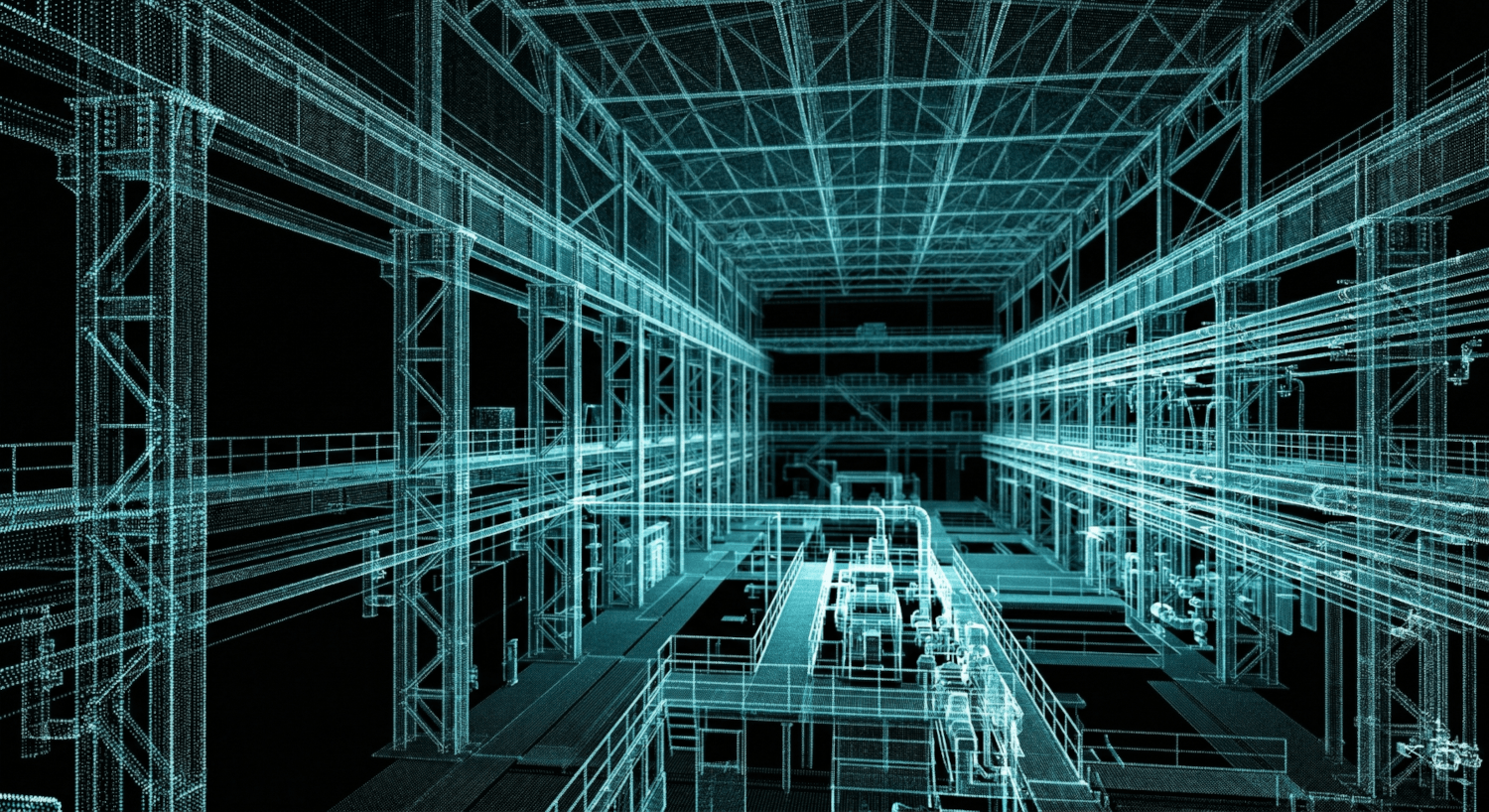
A LiDAR scanner fires millions of laser pulses per second in every direction. Each pulse returns a precise X/Y/Z measurement point when it hits a surface. The result is a point cloud — a three-dimensional map of the scanned space comprising tens of millions of individual measurement points, accurate to within 2mm at typical scanning distances.
The raw data is not a model. It is a cloud of points that describes the shape and position of every surface in the scanned space — walls, floors, ceilings, structural elements, MEP systems, finishes. To become a working BIM model, that data must be processed, registered, and modeled by a team who understands both the scanning technology and the modeling standards the design team will work to.
LiDAR scan accuracy at standard operating distance
Achievable Revit model accuracy built from scan data
Typical on-site scan time for a mid-size commercial building
The Five-Stage Conversion Process
Scan to BIM is not a single operation. It is a five-stage workflow where quality at each stage determines the accuracy and usefulness of the final model. Understanding what happens at each stage helps clients brief their provider accurately and evaluate deliverables correctly.
Site Scan
The LiDAR scanner is set up at multiple positions throughout the building. Each position captures a full 360-degree scan. A medium-sized floor plate (500m²) typically requires 20 to 40 scanner positions for complete coverage with no shadow zones.
Point Cloud Registration
Individual scan positions are stitched together into a single coherent point cloud using control targets placed throughout the building. Registration accuracy depends on target placement and the skill of the processing team — poor registration produces cumulative errors that compound through the model.
Point Cloud Cleanup
Noise, temporary objects, and scan artefacts are removed. The cleaned cloud is segmented by building component — structure, finishes, MEP, external envelope — so the modeling team can work from organised data rather than a single undifferentiated mass of points.
Revit Modeling
The BIM team models against the point cloud in Autodesk Revit. Each element is built to reflect the actual as-built geometry — not the original design intent. Deviations from vertical, horizontal, and dimensional standards that have developed over the building’s life are captured accurately.
QA Check and Delivery
The completed Revit model is checked against the point cloud — a QA process that verifies every modeled element against the actual scan data and flags any deviations beyond the agreed tolerance. Delivered as .rvt and IFC, with the original point cloud registration file for client reference.
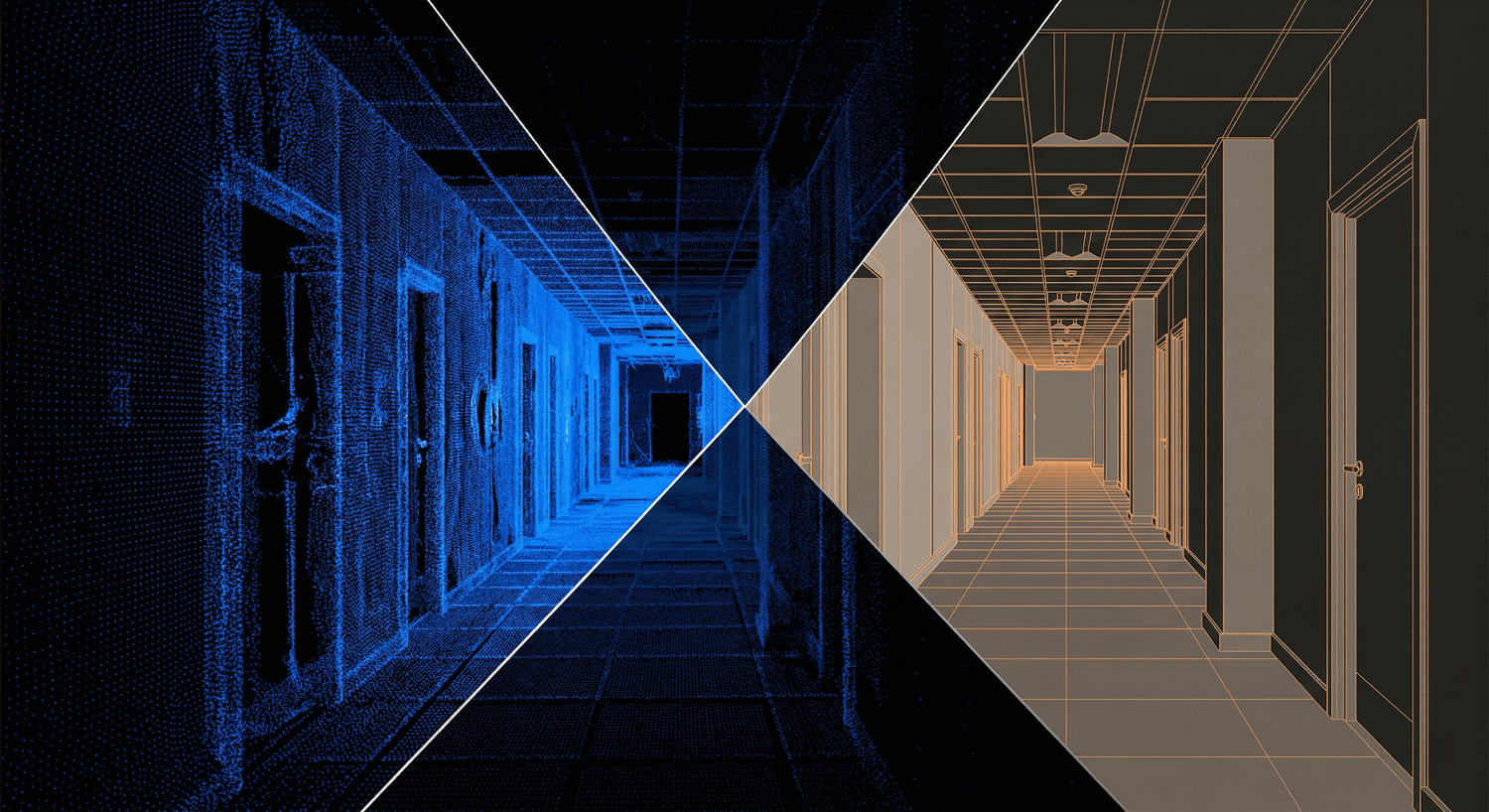
Raw point cloud scan data alongside the completed Revit model built from the same data. The model captures as-built geometry including deviations that have developed over the building’s life.
Starting a Renovation or Retrofit Project?
Tell us the building type, floor area, and what you need the model for. We scope the scan and BIM deliverable and come back with a fixed fee within 24 hours.
What LOD Do You Actually Need?
Level of Development (LOD) determines how much geometric and information detail is modeled. Over-specifying LOD is as costly as under-specifying it — it drives up modeling time and delivers detail the design team cannot use at their project stage.
| LOD | What Is Modeled | When to Specify It |
|---|---|---|
| LOD 200 | Approximate geometry. Walls, floors, columns at indicative dimensions. | Early feasibility only — not suitable for design or coordination |
| LOD 300 | Accurate geometry. Dimensions and positions match as-built condition. | Design development and planning applications |
| LOD 350 | LOD 300 plus connections, interfaces, and supporting elements. | Construction coordination and clash detection |
| LOD 400 | Full fabrication detail. All connections, fixings, and specified components. | Shop drawings and prefabrication packages only |
Most renovation projects need LOD 300. Structural analysis and coordination require LOD 350. Specifying LOD 400 for a full building as-built model adds significant cost for detail rarely used at the design stage. If you are not certain what LOD your project needs, contact InfinevoD — we will advise based on what the design and construction team will actually do with the model.
What Accuracy Is Realistic — and What Is Not
Scan accuracy and model accuracy are not the same thing. The scanner captures data to within ±2mm. The model built from that data achieves ±5 to 10mm on planar elements depending on surface complexity, material reflectivity, and the modeling judgements made where the point cloud is ambiguous.
For most renovation and retrofit projects, ±5 to 10mm is more than sufficient. The design team is working in a building where existing structure has settled, deflected, and been modified over decades — millimetre precision in the model is not the constraint on design accuracy.
The exceptions worth flagging: heritage buildings with complex curved surfaces where the as-built geometry is the design intent; existing MEP systems where original documentation was never kept; and buildings where structural elements have deformed significantly and the model needs to capture the deformation accurately for engineering analysis. For these cases, contact us before specifying — we will advise on scan methodology and modeling approach.
”We specified a full as-built model for a 1960s hospital at LOD 350. InfinevoD delivered in four weeks. The model identified two structural elements that did not appear anywhere in the original drawings. Without the scan, we would not have found them until demolition.”
— Project Architect, Healthcare Refurbishment, UK
Working from drawings that do not match the building?
Tell us the building type, approximate floor area, and the LOD you need. We scope the scan and modeling package and return a fixed-fee proposal within 24 hours.
Frequently Asked Questions
Site scan: 1 to 3 days depending on building size and access. Point cloud registration and cleanup: 2 to 5 days. Revit modeling at LOD 300: 1 to 3 weeks depending on scope. LOD 350 adds approximately 30 to 40% to the modeling time. We provide a programme at scoping stage so you can plan the design team’s access to the model.
Yes — if you have an existing registered point cloud in a standard format (RCP, RCS, E57, PTS), we can build the Revit model directly from it. Send us the file and we will confirm compatibility and provide a modeling scope and fee within 24 hours.
Revit model (.rvt) at the agreed LOD, IFC export for teams on non-Autodesk platforms, QA report confirming model-to-scan deviation within tolerance, and the registered point cloud file for client reference. If the project has FM handover requirements, COBie data extraction is included as part of the package.
Yes — a Scan to BIM model at LOD 350 can serve as the architectural base model for the design team and the existing conditions model for BIM coordination. We deliver models with shared coordinates set up for federation from day one, so the design team can start working and the coordination team can incorporate the as-built model without any re-setup.
The Right Model Pays for Itself Quickly
Every renovation project that starts from inaccurate or incomplete existing drawings carries hidden cost. Design that does not match the building generates RFIs. Structural assessments based on assumed geometry require expensive site investigations. MEP coordination against a building that is not what the drawings say produces clashes that no model review would have predicted.
An accurate Scan to BIM model at the right LOD eliminates all of that uncertainty. It costs a fixed, known amount before the design process starts. The alternative costs an unknown amount after construction has begun. Contact InfinevoD to scope your project — we deliver globally and have scanned and modeled buildings in over 15 countries.